


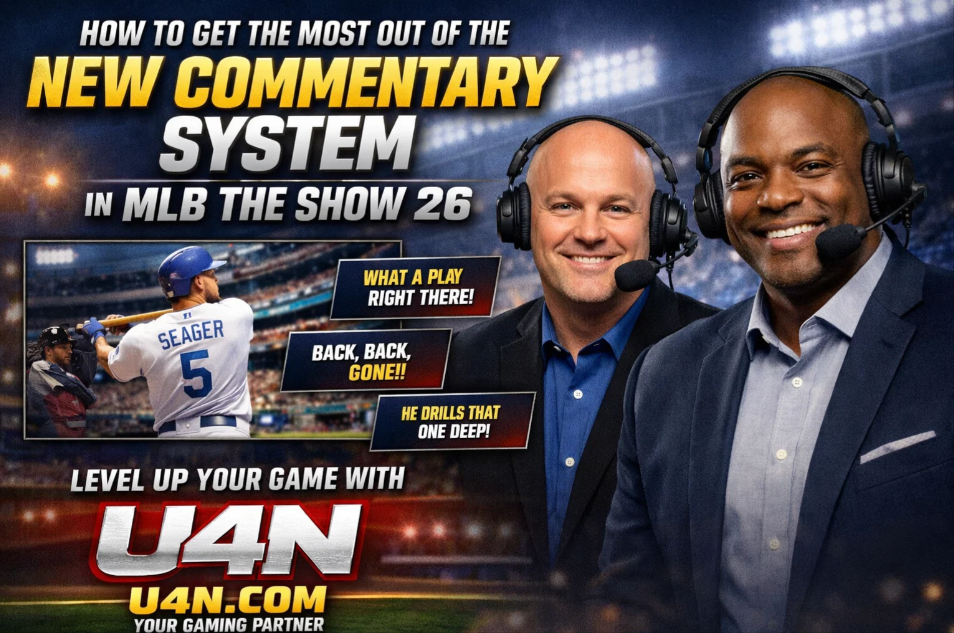
What’s New in the Commentary System?
The biggest change in MLB The Show 26 is that commentary is now contextual and adaptive. This means the commentators no longer rely solely on generic phrases; instead, they respond to how the game unfolds, the players involved, and even your play style.
In practice, this results in several things:
-
Fewer repeated lines in a single game.
-
Commentary that reflects in-game performance (e.g., a pitcher on a hot streak may get different remarks than one struggling).
-
Reactions to milestone moments or unusual plays.
For experienced players, this can add a layer of realism and immersion. But it also raises questions about how to adjust settings and whether it affects your gameplay experience.
How Can I Adjust the Commentary Settings?
The commentary system is highly customizable. Here’s what you should know:
-
Volume and Balance:You can adjust commentary volume separately from crowd noise and sound effects. Many players reduce commentary slightly to focus on the crack of the bat and pitch sound cues while still keeping the announcers audible enough for context.
-
Commentary Frequency:MLB The Show 26 allows you to select “Normal” or “Dynamic” commentary.
-
Normal keeps commentary lines limited but consistent.
-
Dynamic adapts more frequently to game events, giving you a lifelike broadcast feel but can be more repetitive if a play type happens often.
-
-
Focus on Specific Teams or Players:In Franchise or Season modes, you can set your favorite team to have more player-specific commentary. This is helpful if you’re trying to learn tendencies or just want more flavor for your main roster.
Pro Tip: Switching to Dynamic commentary in online modes can make the game feel more alive, but if you’re grinding missions, Normal is less distracting.
How Does Commentary Affect My Game?
Some players assume commentary is purely cosmetic, but it can subtly influence gameplay perception:
-
Pitch Selection and Timing: If commentators point out a pitcher’s confidence or a hitter’s hot streak, it can help you read tendencies faster.
-
Player Awareness: The system can mention defensive alignments or tendencies that you might have missed. For instance, if a player is frequently stealing bases, commentary may note it, nudging you to adjust your strategy.
Many veterans treat commentary as a “soft hint system” rather than just entertainment. It’s not a replacement for stats or scouting, but it can be surprisingly helpful when reading the flow of a game.
How to Avoid Repetition and Annoyance
One common complaint is repetitive commentary lines. Here’s how experienced players manage it:
-
Update Roster and Commentary Packs Regularly: MLB The Show 26 releases commentary updates tied to real-life performances. Keeping these updated ensures lines feel fresh.
-
Mix Commentary Types: Alternating between team-specific, dynamic, and milestone commentary can reduce the sense of repetition.
-
Use Quick Settings Adjustments: In longer games, don’t be afraid to tweak volume or frequency mid-game. This is especially useful during late innings where repeated praise or critique can become distracting.
Can I Learn From Commentary?
Yes, if you pay attention. Here’s how:
-
Pitch Recognition: Commentators often remark on pitch types and location tendencies after a few at-bats. This helps when facing a pitcher multiple times.
-
Player Strengths and Weaknesses: Comments about a hitter’s weak spots or a pitcher’s favored zones can guide defensive positioning or batting approach.
-
Game Flow Insights: If the commentary notes momentum shifts, it’s often a hint to adjust aggression or strategy.
Using commentary as a subtle teaching tool works best when combined with in-game stats and situational awareness. Think of it as a coach giving you real-time feedback in a broadcast style.
How to Combine Commentary With Other Game Features
For the most immersive experience:
-
Pair With Stat Tracking: Keep the scoreboard, pitch counts, and player metrics visible while listening. Commentary will supplement your decisions rather than replace data.
-
Use in Career Modes: In Road to the Show, commentary personalization makes achievements feel more meaningful. It can even hint at career milestones or player progression opportunities.
-
Integration With Audio Settings: Adjusting commentary alongside crowd noise and environmental sounds can create a more lifelike ballpark atmosphere. Some players prefer crowd-dominant settings, using commentary only as background cues.
For those looking to enhance both immersion and efficiency, this setup works well: moderate commentary volume, dynamic line frequency, and selective team/player focus.
Buying Stubs and Maximizing Gameplay
While commentary is great for immersion, many players want to strengthen their team in Diamond Dynasty without spending too much. One tip is to take advantage of opportunities to buy MLB The Show 26 stubs cheap. Doing this allows you to access higher-rated cards, pack deals, and more without disrupting your budget. In practice, this means you can enjoy top-tier players alongside rich commentary for a complete experience.
The new commentary system in MLB The Show 26 is more than just a cosmetic upgrade—it’s a tool for immersion, subtle hints, and a more realistic baseball broadcast experience. By adjusting frequency, volume, and team focus, and paying attention to insights offered during gameplay, you can make the most of it whether you’re grinding missions, playing competitive online matches, or enjoying a solo season.
For those looking to gain an edge in Diamond Dynasty while enjoying commentary, consider this resource: https://www.u4n.com/mlb-the-show-26/stubs – it’s a reliable way to get stubs efficiently.
Every time you want to improve your MLB The Show 26 experience, adding a few stubs from this link can help unlock the best players and features quickly: https://www.u4n.com/mlb-the-show-26/stubs.

 English
 Arabic
 French
 Spanish
 Portuguese
 Deutsch
 Turkish
 Dutch
Dutch
 Italiano
 Russian
 Romaian
 Tiếng Việt